Tweak your mouse settings efficiently
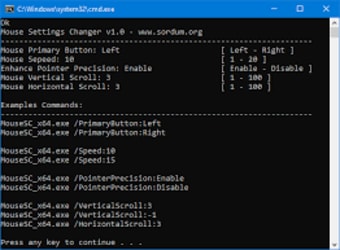
Mouse Settings Changer is a freeware utility tool program developed by Sordum for desktop use. With this handy software, you no longer need to go deeper into your Mouse Properties just to change the settings of your mouse. You will be able to alter your most-common mouse functions and settings with the use of scripting language—batch, VBScript, or Command. This is a portable application that contains no GUI also.
Top Recommended Alternative

Break with the tradition
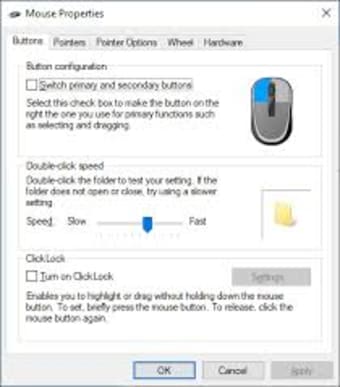
In Windows, the typical way to alter your mouse settings requires many clicks into your system. You will need to go through your ‘Start’ button, wherein you will need to find and click your 'Control Panel.' From there, you will search and type ‘mouse’ in its ‘search’ bar then select the mouse you are using. Another method is by running your desktop's dialog box by holding down the Windows Key and press ‘R’ on your keyboard.
Once the command box opens, you have to type either of the codes—main.cpl or control.exe main.cpl,,2— then press ‘Enter’ afterward to access the Mouse Properties dialog box. Alternatively, you can view the mouse settings if you utilize the ‘Settings’ app. There, you can adjust your mouse according to your convenience and operate it in any way you want. You only need to launch the app, click the ‘Devices’ category, then the ‘Mouse’ section.
When you use the Mouse Settings Changer program, you no longer need to do any of those steps. Instead, you just need to paste the batch scripts that this tool provides inside the file and edit them according to your needs. Bear in mind that this will not properly work if your Mouse Properties window is open. Thus, you must close it before you use the utility software so the changes you applied will properly reflect.
Change mouse settings in fewer steps
The Mouse Settings Changer utility tool just makes customization of mouse settings even simpler to do. With this app, you will no longer have to go digging into your system's setting just to locate what you are looking for. Plus, the steps required when you use the tool are fewer as well. Compared to the traditional ways, this is extremely straightforward to perform and saves a lot of time on your part.